
- First Step is go to url www.eclipse.org and check for the for downloading eclipse
- Then click on the download link as shown in figure.
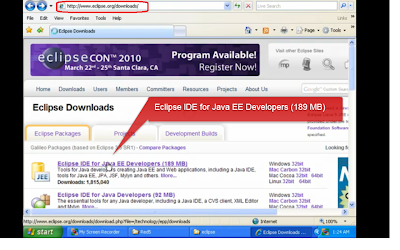
- Once the save dialogue box is opened click the save button to save the zipped file version of eclipse into your hard drive.


- Then extract the zip files and save into location C:\Program Files as shown in figure below
- Once it is extracted we can see a folder directory called eclipse in your computer as below

- Then in that folder heirarchy you can see an eclipse.exe file .Create a shortcut of that in your desktop and double click on that icon you can see eclipse opened in a new window

- This pops up with a window which asking me to set up a path where my java projects will be stored.So i put that in MyDocuments/eclipse.ie my workspace
 For testing purpose create a small project called test and inside that test create a class called


For testing purpose create a small project called test and inside that test create a class called test.from the folder hierarchy in eclipse i double click on the test.java file and the code fragment is as below.

To that add System.out.println("testing"); .if the project undergo proper debugging we will get testing in the console.

So finally have a happy programming.If you like my article please post comments.


